
SQL Server
Selekta connects to SQL Server with a bundled native driver on port 1433, using a SQL Server login and password with encrypted traffic by default. Scripts run in GO batches, Explain shows the showplan as a tree, and each connection opens one database.
Connect
- Press ⌘N and choose SQL Server.
- Fill in Host, Port (1433), Database and User, then Password. Leave Database empty to use the login's default database.
- Click Test, then Save.
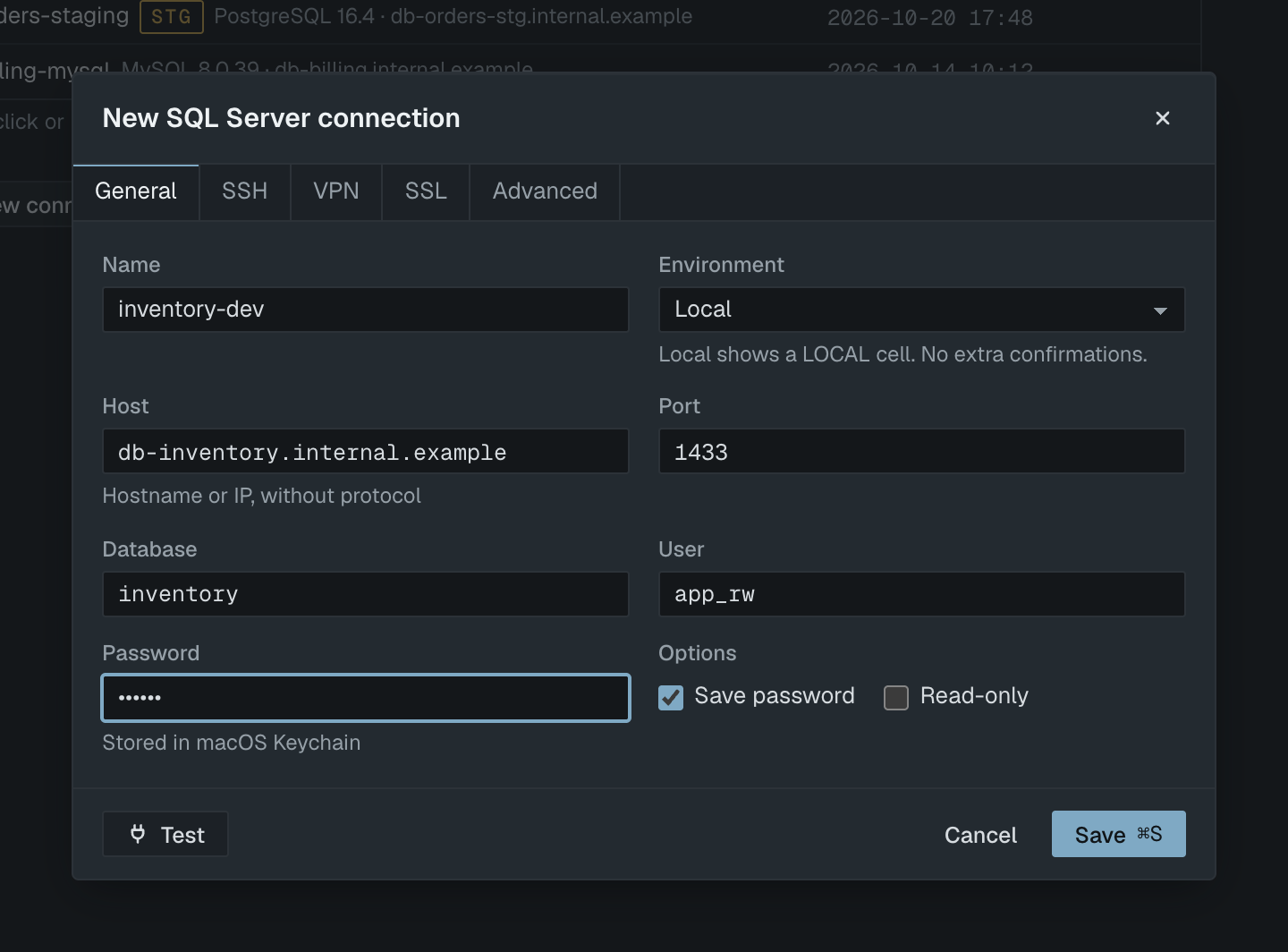
The General tab for SQL Server has fields only, no URL mode. You can still paste a sqlserver:// or mssql:// URL on the engine step of the dialog, and the fields are filled from it:
sqlserver://[email protected]:1433/ordersAuthentication is SQL Server authentication: a login name and password. If the test reports a rejected password even though it is right, the server may allow Windows authentication only, or the login may have no access to that database.
Encryption
The SSL mode on the SSL tab has three options:
| Option | Behaviour |
|---|---|
| Off | Only the login is encrypted. Queries and results travel in clear text. |
| Encrypt, trust server certificate | Default. Encrypts all traffic and accepts any server certificate, as development and self-signed servers need. |
| Encrypt and verify | Encrypts and checks the certificate chain and that it matches the host. Uses the CA certificate file, or the macOS system trust store when that is empty. |
Use Encrypt and verify for remote servers. If the server's certificate is not trusted, Selekta shows it and lets you pin it or switch to a CA file. See SSH tunnels and TLS. SSH tunnels and OpenVPN work the same way as for the other engines.
Navigator
The navigator shows the database you connected to. Under it you see dbo and your own schemas; guest, sys, INFORMATION_SCHEMA and the fixed role schemas are hidden. Each schema has tables, views, functions (procedures and functions together) and sequences. To work in another database on the same server, create a second connection.
GO batches
In a script, a line that holds only GO ends a batch, in any letter case. Everything between two GO lines is sent to the server as one batch, so a variable you DECLARE is visible to the statements after it in the same batch.
DECLARE @since date = '2026-01-01';
SELECT COUNT(*) FROM dbo.orders WHERE created_at >= @since;
GO
CREATE PROCEDURE dbo.close_old_orders AS
  UPDATE dbo.orders SET status = 'closed' WHERE created_at < '2025-01-01';
GO
BEGIN … ENDblocks,BEGIN TRY … END CATCH, andCREATE/ALTERbodies of procedures, functions and triggers stay whole up to the nextGO.- A count after
GO, as inGO 5, is ignored: the batch runs once. GOinside a string or a comment is not a separator.- A batch that returns several result sets shows each one as its own result.
- For
INSERT,UPDATE,DELETEandMERGE, Selekta reads the affected row count with@@ROWCOUNT.
Destructive-statement confirmations apply to a whole batch: the first destructive statement in it decides, and you confirm the batch as a whole. On Production and Staging, EXEC calls and BEGIN … END blocks always ask, because their effect cannot be estimated. See Production safety.
Explain, cancel and read-only
- Explain (⌘E) wraps the statement in
SET SHOWPLAN_XML ON: you get the estimated plan, and nothing runs. - Explain Analyze (⌥⌘E) uses
SET STATISTICS XML ON: the statement runs and only the actual plan is shown. - Cancel (⌘.) sends a cancel request on the same connection, so no
KILLpermission is needed. If the connection cannot recover, Selekta replaces it, and an open transaction on it is rolled back; the message tells you so. - Read-only connections log in with
ApplicationIntent=ReadOnly, which routes to a readable secondary in an availability group. SQL Server has no read-only session setting, so Selekta's statement check is what blocks writes.
money and smallmoney values are shown exactly, without rounding through floating point. See Explain plans for reading the plan tree.
Not supported yet
- Backup and restore. Backup… on a SQL Server connection offers Export as SQL… instead, which writes
INSERTstatements for one table at a time. For a full backup with schema and permissions, runBACKUP DATABASEon the server. - Windows, Kerberos and Microsoft Entra authentication. Only SQL Server logins work.
- Client certificates on the SSL tab.
- Session time zone and the Connection pooler option, which are PostgreSQL and MySQL features.
- Maps for
geometryandgeography. SQL Server spatial values are not decoded and do not open on the map panel.